

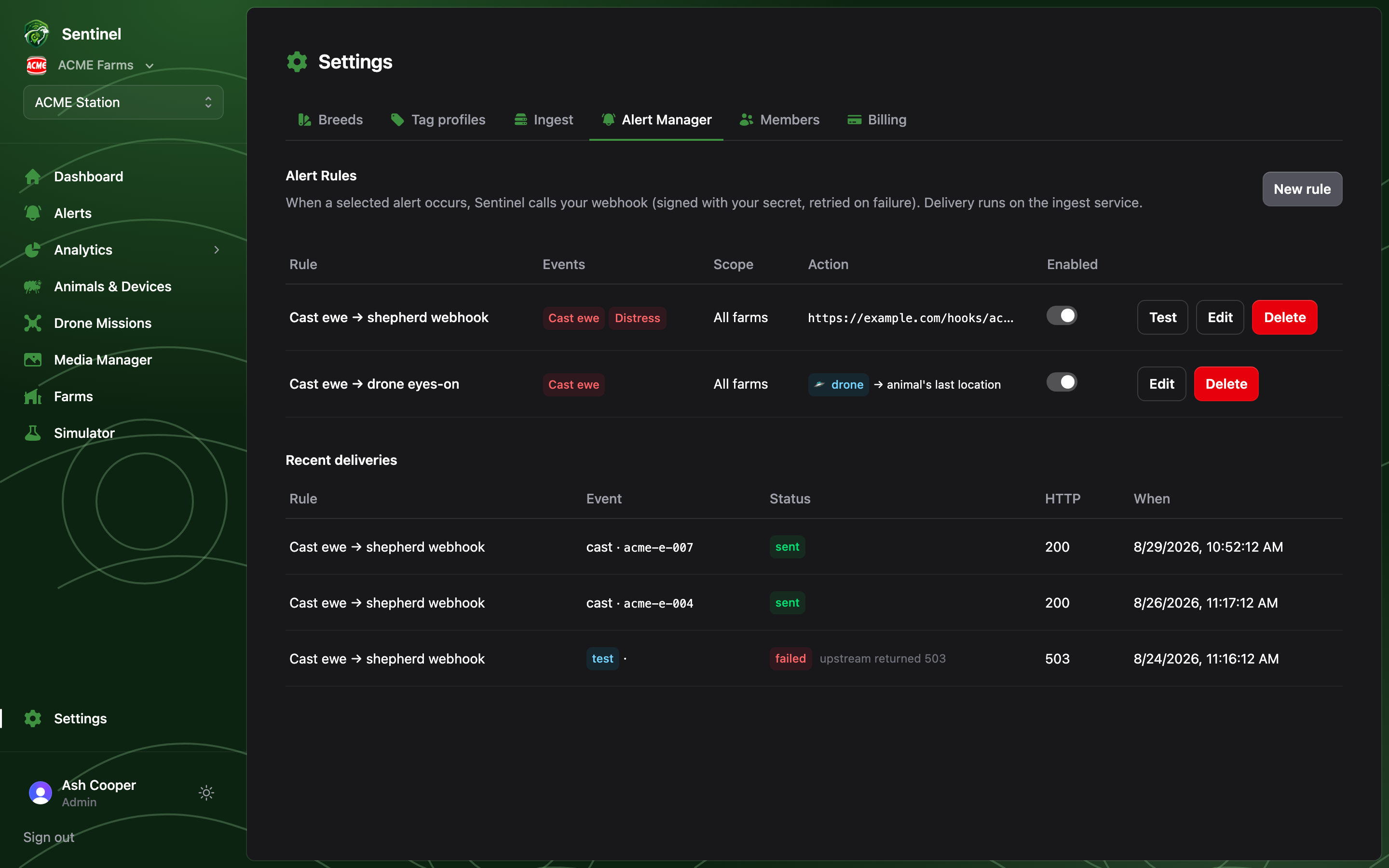
Building a rule
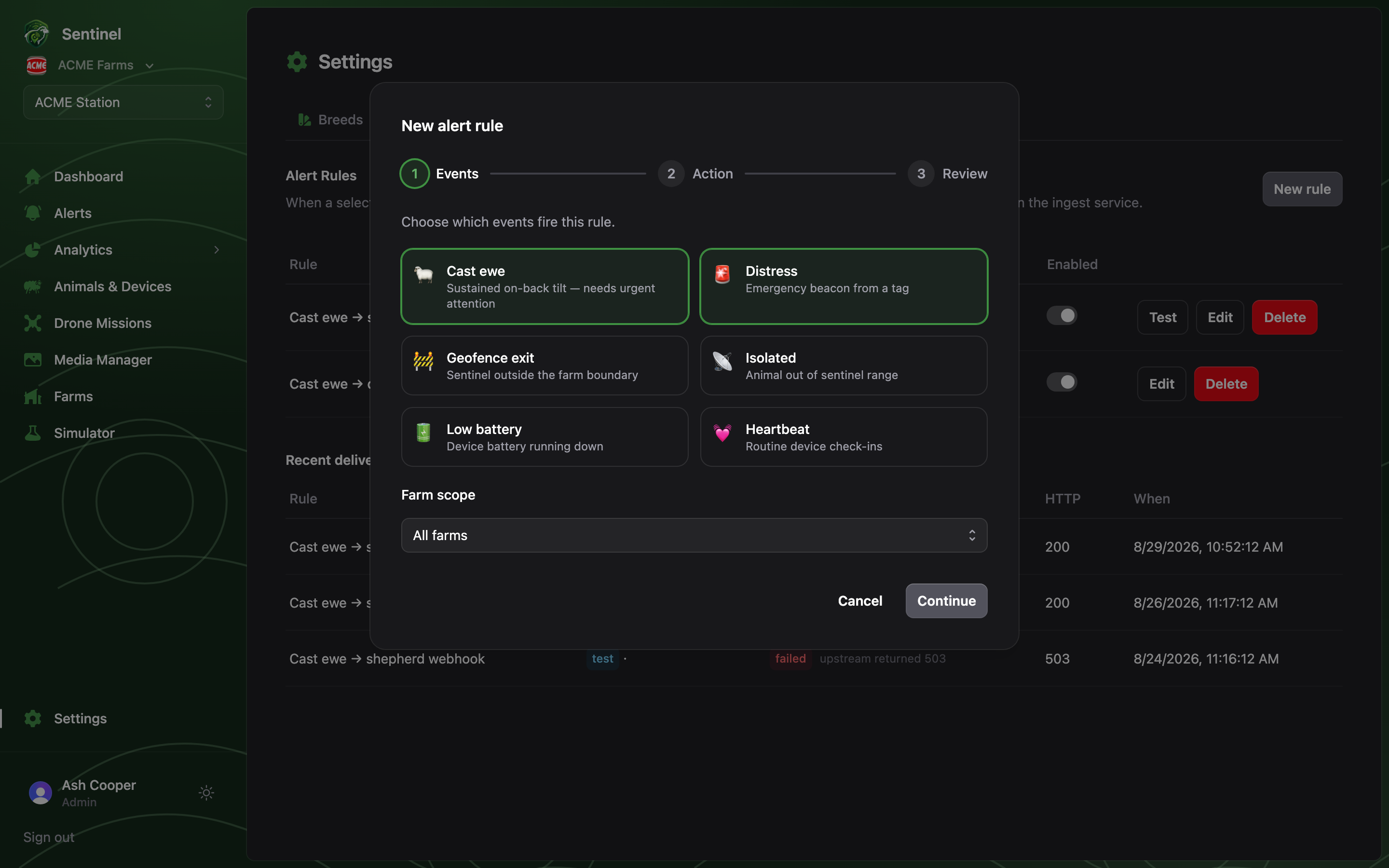
New rule walks through three steps:1
Events
Pick which of the six event kinds fire the rule — cast and distress are
preselected, the two where minutes matter — and scope it to one farm or all.
2
Action
Call a webhook — a JSON POST per event, optionally signed
(
X-STrack-Signature, HMAC-SHA256) and retried on failure. Or Launch a drone
mission — either a saved planned mission, or fly to the animal’s last known
location, hover for eyes-on, and return to base. A per-device throttle
(default one notification per 5 minutes) keeps a beaconing tag from flooding the
channel.3
Review
Name the rule, read the plain-English summary of what it will do, and enable it.
Drone actions need the Drone missions plan feature, a
drone base on the farm, and a recent position for the
alerting animal to fly to.