

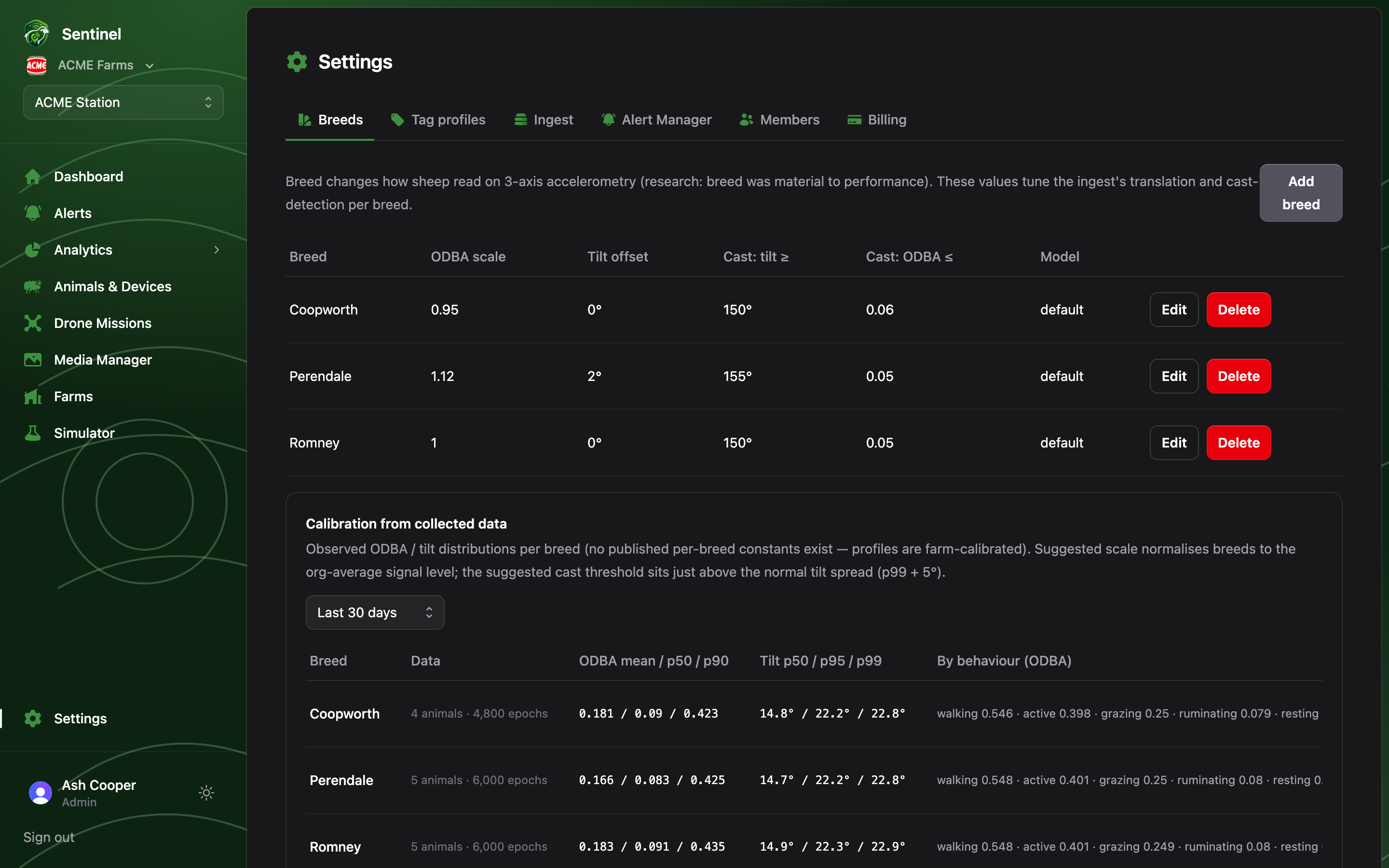
Breed materially changes how sheep read on 3-axis accelerometry — the research behind Sentinel found breed to be one of the strongest factors in classifier performance. Settings → Breeds is where those differences are configured.
Settings → Breeds: per-breed ODBA scale, tilt offset and cast thresholds, with the calibration section below

Breed settings

Each breed row carries the values the ingest applies to any animal of that breed before classifying its behaviour:
  • ODBA scale — multiplier on raw activity, normalising breeds that read hot or cold on the same tag.
  • Tilt offset (°) — corrects systematic posture differences.
  • Cast thresholds — a cast alert fires when tilt stays at or above the tilt threshold while ODBA stays at or below the activity threshold (on her back and not moving).
  • Behaviour model — optionally pin a breed to a specific classifier model; blank means the default.
Add breeds with Add breed (Romney, Perendale, Merino…), then assign them per animal in the flock register.

Calibration from collected data

Once the flock has been reporting for a while, the calibration section compares each breed’s observed ODBA and tilt distributions against its configured settings and suggests corrections — a suggested scale and cast-tilt threshold per breed, with a “thin data” flag when there aren’t enough epochs to trust yet. Apply writes the suggestion straight into the breed.
Calibrate after any change to hardware or mounting, and once per season otherwise. If one breed’s false-alarm rate stands out on the Welfare Events page, its cast thresholds are the first thing to check here.