

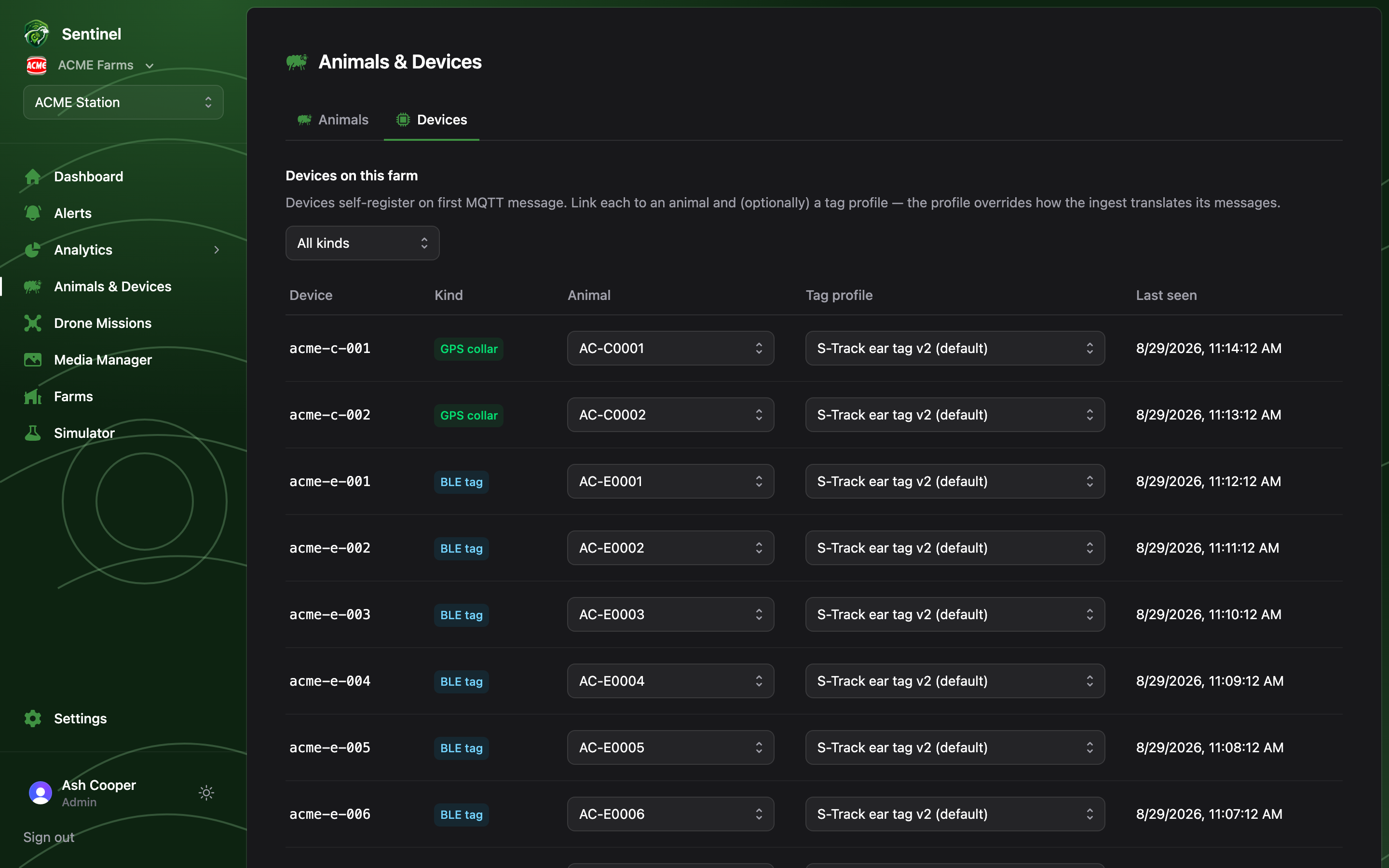
Devices lists the hardware reporting from the hill: GPS collars and BLE ear tags fitted to animals, and the fixed relay stations that bridge LoRa to the cloud. Admins get a second tab, Device Flash, for flashing and provisioning new boards over USB — see Device Flash & OTA updates.
The Devices page: GPS collars and BLE tags with animal and tag-profile assignments and last-seen times

The device list

Devices self-register on their first MQTT message — nobody types in serial numbers. The list groups every device claimed by this farm by role: BLE ear tags, GPS collars and Relay stations. Tags and collars show the animal they’re linked to, their tag profile, staged reporting epoch and when they last reported. Relays show their running firmware version, last heartbeat and map position (placed by dragging the relay marker on the Dashboard map). Admins assign devices inline: pick the animal and (optionally) a tag profile straight from the row. Members see the same table read-only.

Muting alerts

The Alerts toggle on each row mutes a device. Its telemetry keeps flowing, but it raises no geofence or welfare alerts — handy for a bench relay or a test tag on the desk.

Remote configuration (Admin)

Tags and collars can be reconfigured over the air — no USB cable. The Epoch column shows each device’s staged reporting epoch with a version badge; Edit opens a dialog to change it. Saving stages the config and pushes it through the ingest API (the same URL + key remembered by the Device Flash tab’s OTA section): a relay broadcasts it over LoRa, LoRa devices apply it directly, and BLE-only ear tags receive it as a short BLE write from a passing collar. The badge is the feedback loop: amber “pending” until the device reports the new config version back up the relay path, then green “applied”. A device out of range simply applies it the next time it’s heard — the relay keeps rebroadcasting until the device acks.

Claiming new devices (Admin)

Fresh devices reporting over MQTT but not yet owned by any farm appear for Admins in an Unassigned devices section, with an amber counter on the tab. One click — Claim for farm — brings a device and its telemetry into the farm. Devices provisioned through the Device Flash tab are registered to the farm as part of saving, so they never pass through the unassigned list.
No hardware yet? The Simulator publishes a synthetic flock over the real MQTT contract — its devices show up here for claiming exactly like real collars and tags.