Reading the table
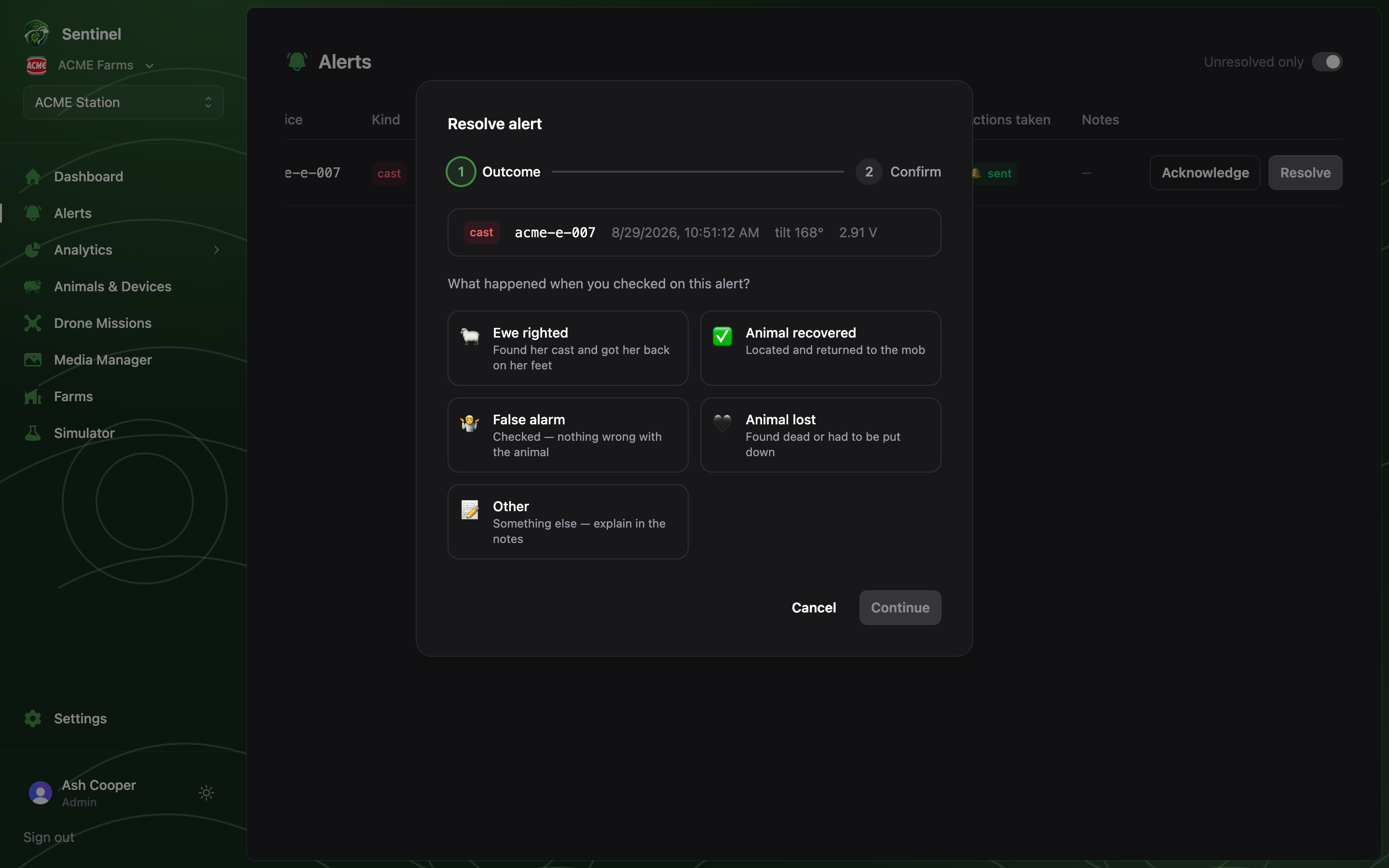
Each row is one alert episode — repeats of the same event within the episode window stack onto the row as×N occurrences with the last-seen time, so a ewe that
beacons every few minutes is one line, not fifty. Columns cover the device, kind, tilt
and battery at the time, and:
- Status —
open(red),acknowledged(amber), or the resolution outcome in green once closed. - Actions taken — badges for automated responses fired by alert rules: 🔔 a webhook call, 🛸 a drone response flight, coloured by outcome (sent/completed, in progress, failed). Hover for the timestamp.
Acknowledge, then resolve
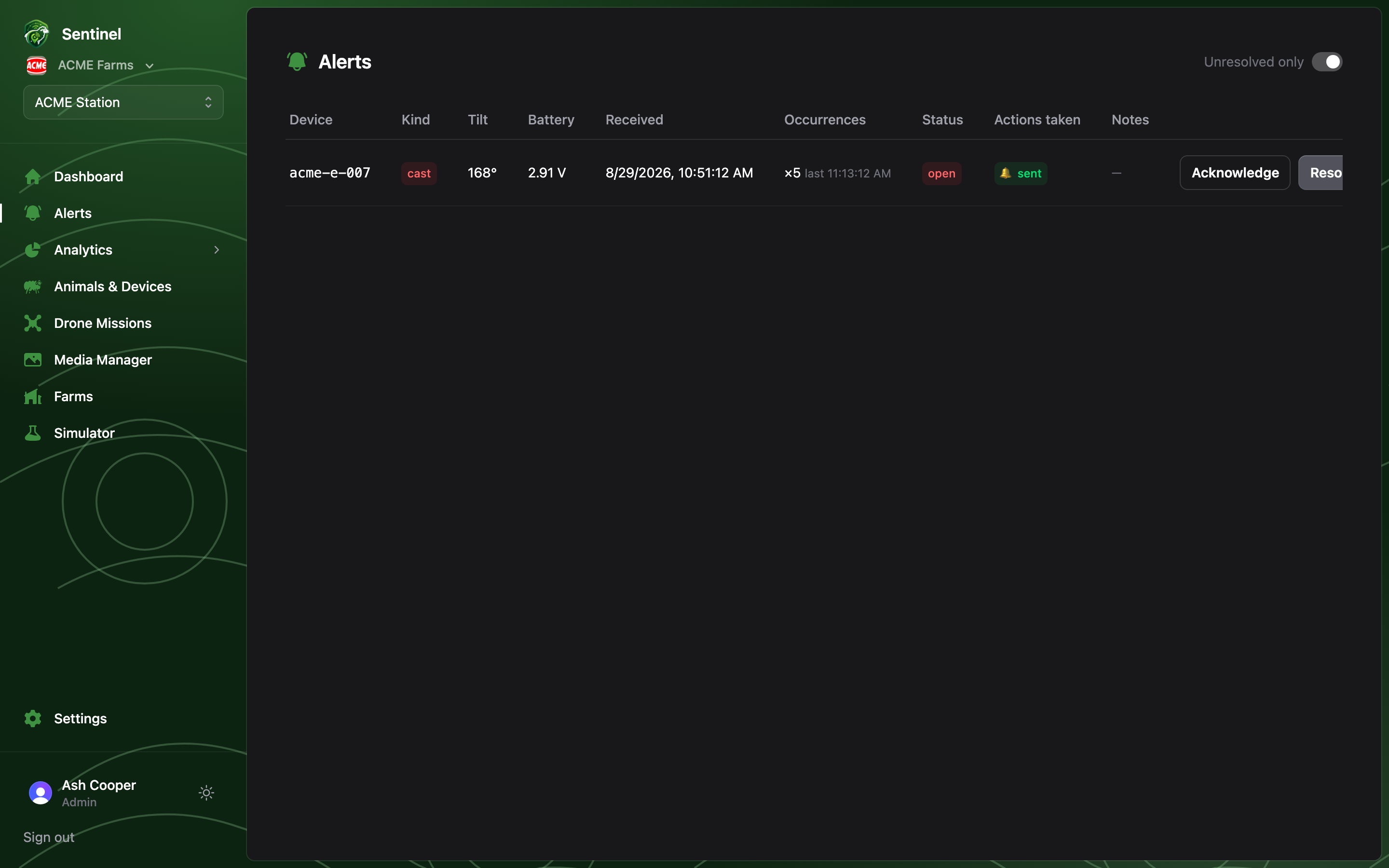
Acknowledge marks the alert as seen — it moves the count from Open to In progress on the dashboard so the rest of the team knows someone is on it. Resolve opens a two-step wizard that closes the alert and records the outcome:1
What happened?
Pick the outcome you found when you checked the animal:
Ewe righted (found her cast, got her back on her feet), Animal recovered,
False alarm, Animal lost, or Other.
2
Confirm
Review the plain-English summary and add notes — where you found her, what state
she was in. Notes are recommended for “Other”.